

Candle Business Toolkit
Fragrance load calculator, pours with lot numbers and cure dates, and a burn test log.
Spreadsheet toolkits for Etsy and handmade sellers. Every Etsy fee, your materials, your time and your shipping, worked out on every order, so you can price with confidence and keep more of each sale.


Order #3100388 Linen tote bag
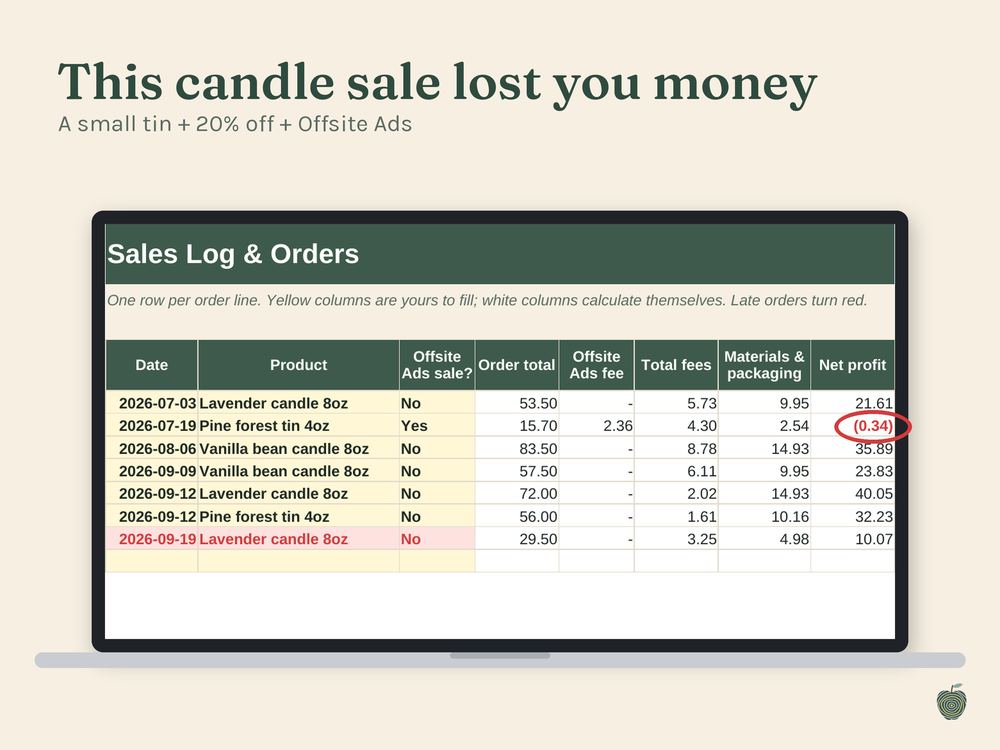
This sale lost money. The toolkits flag it the moment you log it.
Start with the essentials that work for any handmade or small business, or pick the edition made for your craft. Everything works in Google Sheets and Excel.
The essentials for every handmade and small business: real profit on every order, the right prices, and tidy books at tax time.
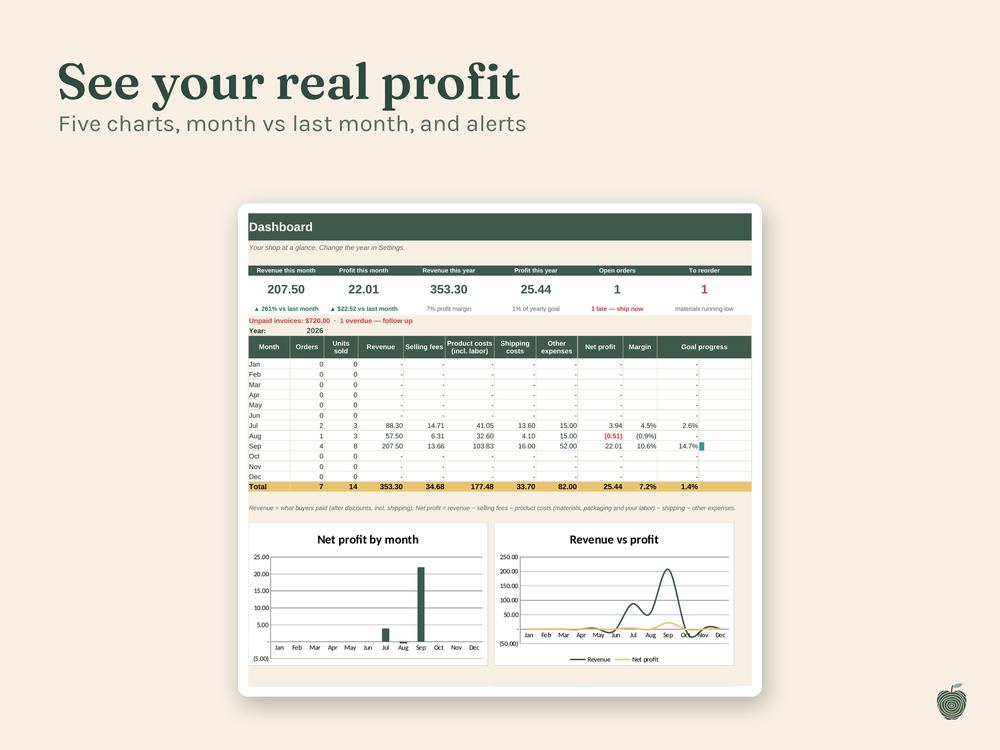
Sales, stock, recipe costing, invoices, a dashboard and tax set-aside in one workbook.
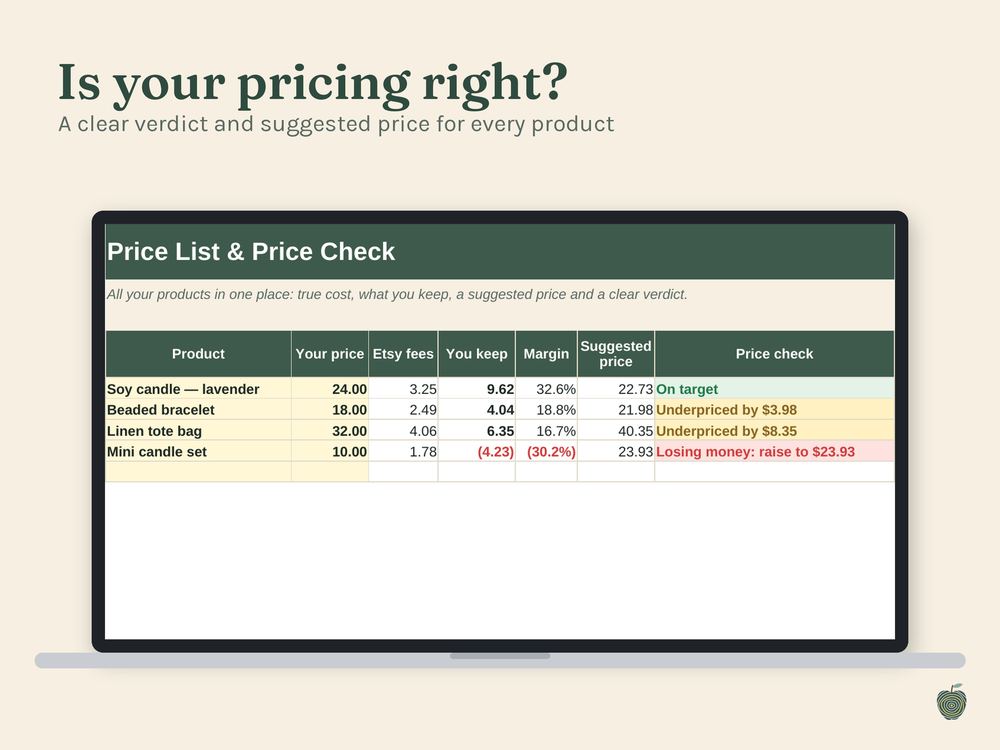
A price check for every product, with your materials and your time included.
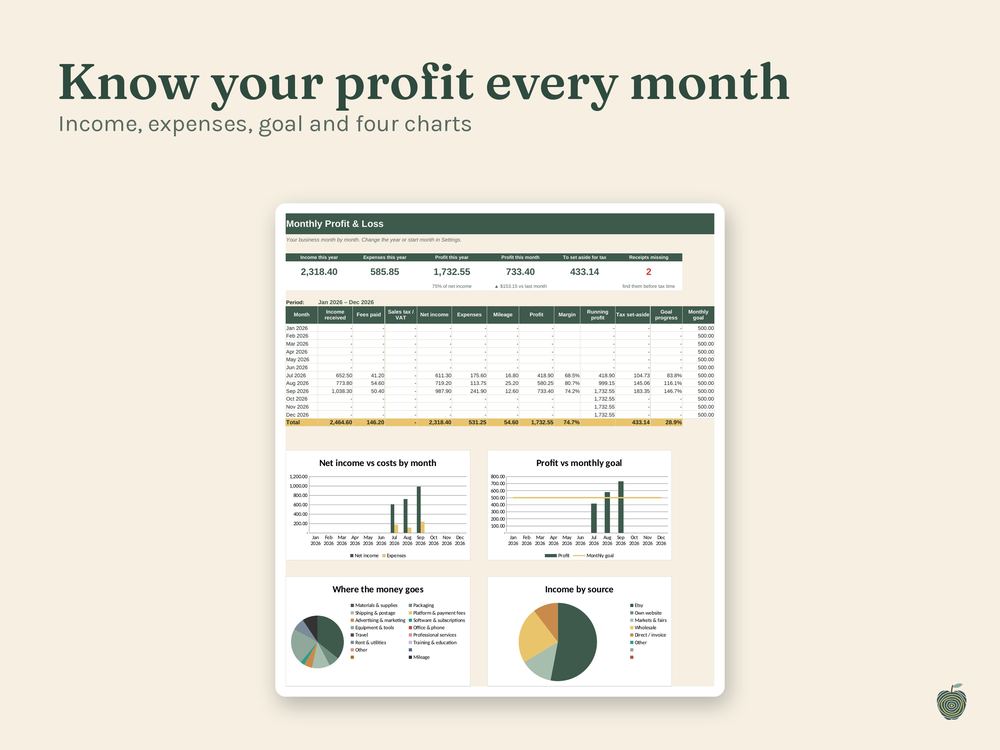
Income, expenses, mileage, account balances and a one-page summary for tax time.
Each trade edition has everything in the Etsy Seller Business Toolkit, plus the tools your craft needs.
Fragrance load calculator, pours with lot numbers and cure dates, and a burn test log.
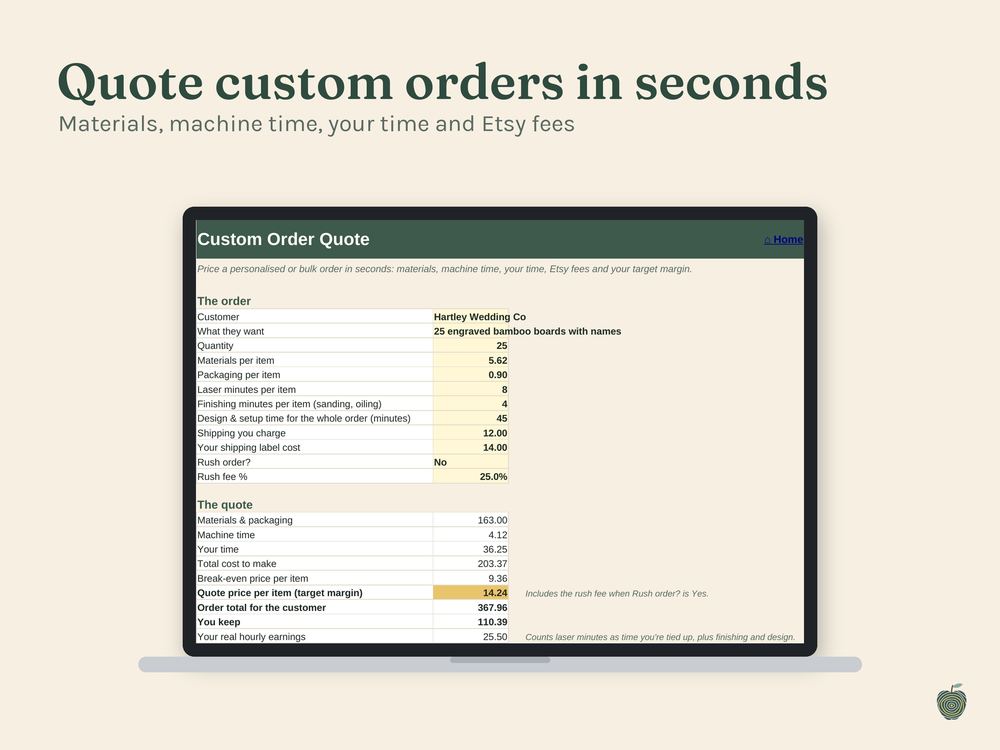
Custom order quotes, your machine's cost per minute, sheet yield and a settings library.
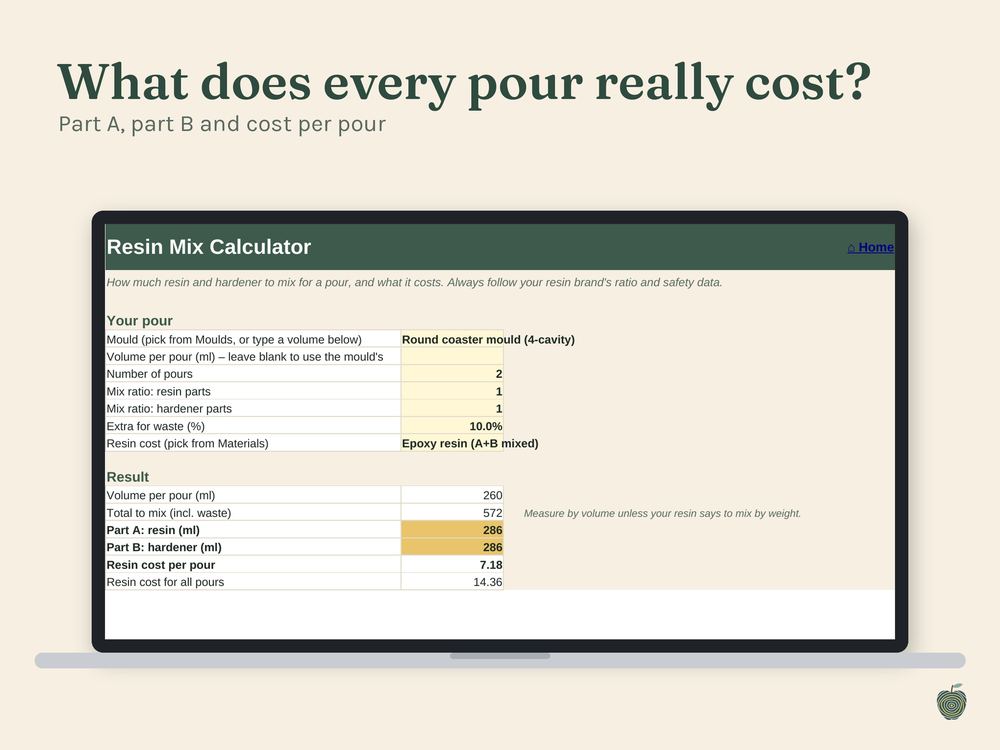
Part A and part B for every pour, mould wear per piece, and demold and cure dates.
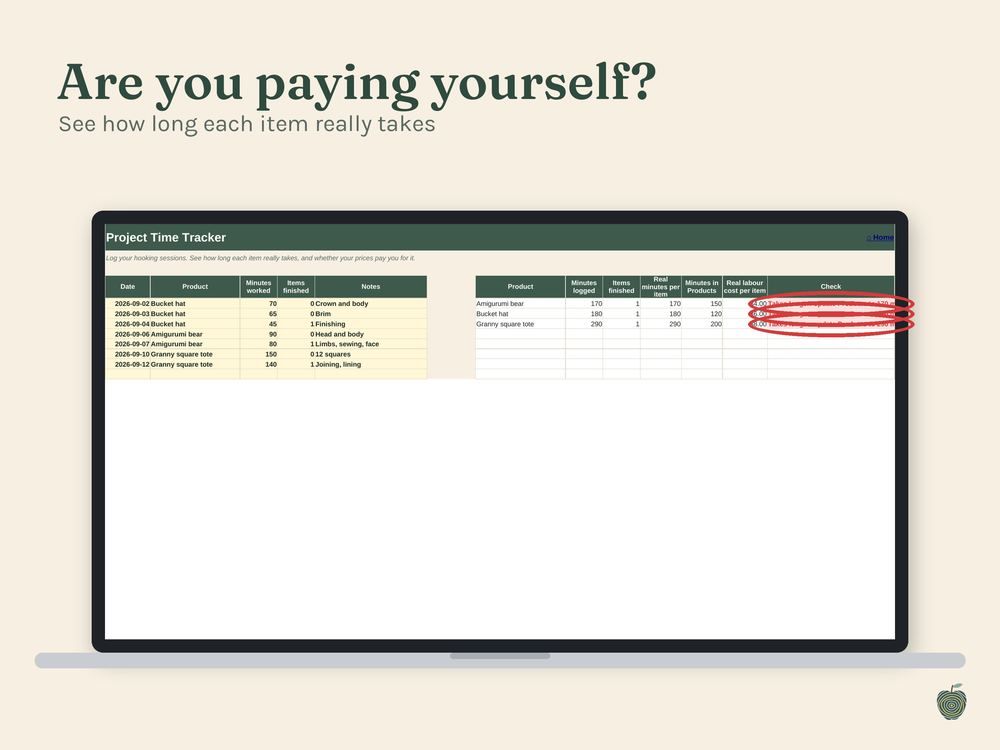
See how long each item really takes, how many skeins to buy, and what to bring to a market.
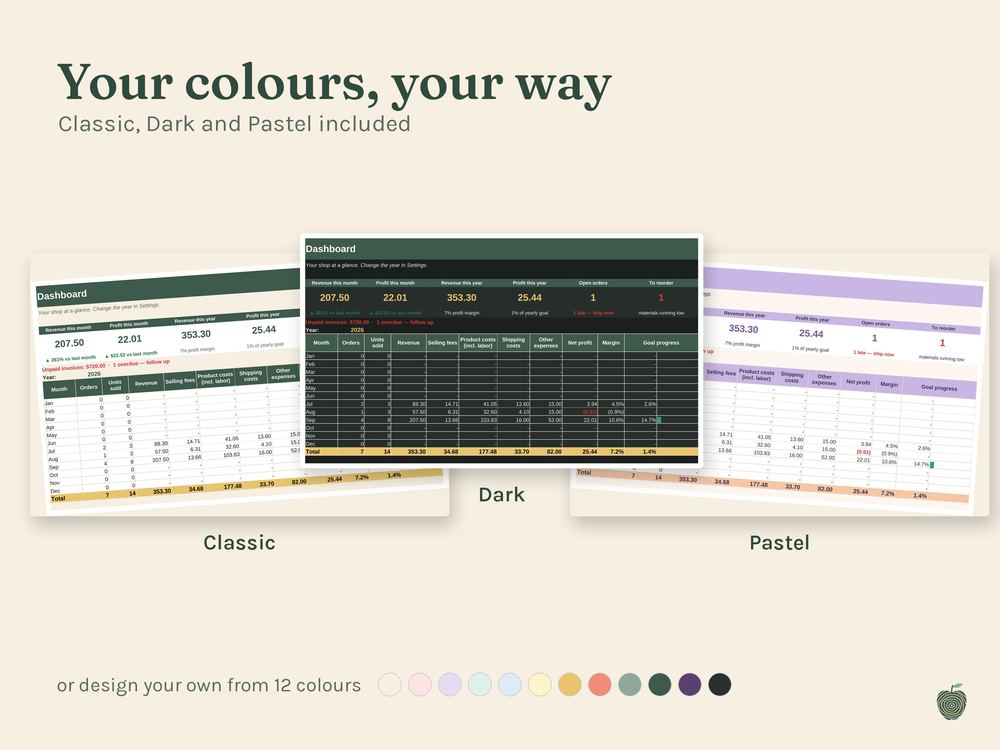
Every toolkit switches between Classic, Dark and Pastel, or lets you design your own from twelve colours. Etsy fees are set up for ten countries, and every rate is editable.
Get the free Etsy Fee Quick-Check. Enter your price and costs and see every fee and your real profit in seconds.
Your download arrives instantly: a PDF with your Google Sheets link, plus the Excel file.
One click gives you your own private copy in Google Sheets, or open the Excel file.
Pick your country, add your materials and products, and log your first sale. Everything else calculates itself.
A fifteen-second tour of the full toolkit. Every purchase includes step-by-step video tutorials:
“Most makers don't lose money on their craft. They lose it in the fees and hours nobody counted.”
Applewood Templates is a one-person shop making spreadsheet toolkits for people who make things by hand and sell them on Etsy, at markets and beyond.
Every toolkit is built around one question: after every fee, material and hour, what did this sale really earn you? I keep them simple to set up, honest about the numbers, and easy to adjust, so when Etsy changes a fee you can update it yourself in a minute.
Each one works in Google Sheets and Excel and comes with short video tutorials and a picture guide. If you get stuck, message me on Etsy and I'll help you get set up.
Either. Every toolkit works in Google Sheets (free with a Google account) and in Microsoft Excel. Your download includes both, plus short video tutorials and a picture guide of every page.
Fees are preset for the US, UK, Canada, Australia, Germany, France, Italy, Spain, the Netherlands and Ireland, and every rate is editable. Amounts work in your own currency.
You can update them yourself in about a minute: choose Custom as your country on the Home tab, then type the new rates in the Custom column in Settings. Etsy lists its current fees at etsy.com/legal/fees.
If you make candles, laser engravings, resin art or crochet, pick your trade edition: it includes everything in the full toolkit. Otherwise choose the Etsy Seller Business Toolkit, or start with the Pricing Calculator.
Because these are instant digital downloads, I can't offer returns, but I'm always happy to help you get set up. Message me on Etsy and I'll reply within a day.
No. The toolkits help you organise your numbers and plan. For tax questions, talk to an accountant or tax professional.